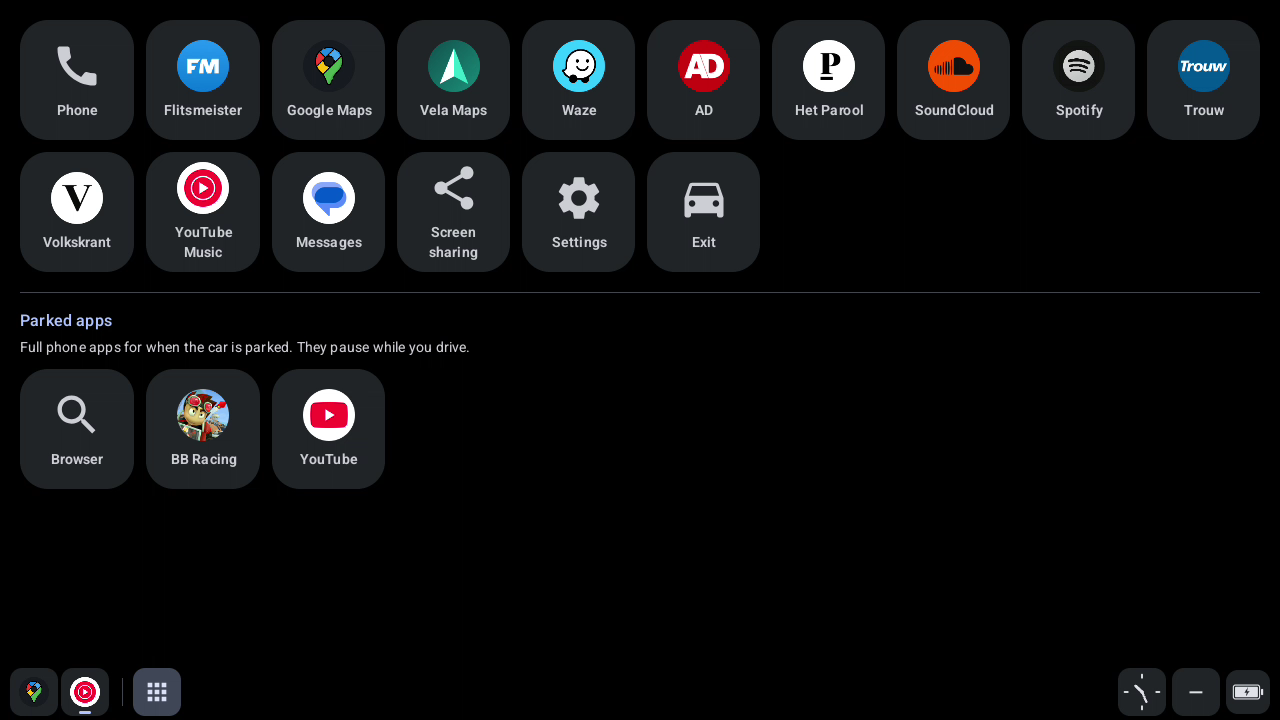
Your apps. Your dashboard.
DriveDeck puts your phone's widgets, your navigation and music apps, internet radio and an assistant that runs on your phone on the car screen. It is an open-source Android Auto alternative that sets itself up through Shizuku, without root.
Before you start. DriveDeck needs an Android 13 or newer phone and Shizuku, a service you start without root. What decides whether a car works is the certificate, not the model. Read the questions and answers or go straight to the setup guide.
What makes DriveDeck different
-
Your widgets, your dashboard
Put widgets from any app on your phone next to DriveDeck's clock, weather, navigation and media cards, and arrange them on a grid on your phone.
-
The big-name apps as real car apps
Waze, Google Maps and more run as car apps without root, through patches you apply yourself. Stock Google Maps shows its phone screen in the Maps tab.
-
An assistant that acts on the car
Runs on your phone. Ask to navigate and the route starts by itself, or ask for music, radio, calls and messages. Or connect LiveKit Cloud for a full conversation with the model you choose.
-
Radio and music
Built-in internet radio, one player in the taskbar for every app, and browse and Up next for your music apps.
-
Parked apps, with passenger use
Run supported phone apps on a display DriveDeck hosts, with a driving rule for each app. Passenger use is available by default.
-
Work profile
Bring work apps, media, messages and widgets to the car, kept apart from your personal ones.
-
Calls and messages
Dial and answer on the car screen, and hear new messages read aloud with a voice reply or a quick reply.
-
Verified updates
Each update is checked for its checksum, package and signing certificate before DriveDeck asks to install it.
What's new
2.7 puts one player in the taskbar for every app. 2.6 shows stock Google Maps in the Maps tab. 2.5 fits the phone app to tablets and foldables. 2.3 and 2.4 start the routes you ask for by themselves. 2.2 adds the navigation widget and 2.1 the dashboard grid. See what's new in 2.x.
Make it yours
Choose the screen appearance, taskbar position, widgets and player in Settings. See DriveDeck compared for how it differs from Gearslip, AARE, F-Auto and Flywheel.
Get started
Download the signed APK from GitLab Releases, then follow the connection guide. The download page includes update and signing information.
DriveDeck is free software under AGPL-3.0, based on Gearslip by Twink Software LLC. About DriveDeck