What you can do with Shizuku
Shizuku lets approved apps request certain Android operations through a service started with debugging privileges. On Android 11 or newer, you can start that service using wireless debugging on the device itself. You do not need to root the phone or leave a computer connected. The exact operations available still depend on Android, your device and how the service was started.
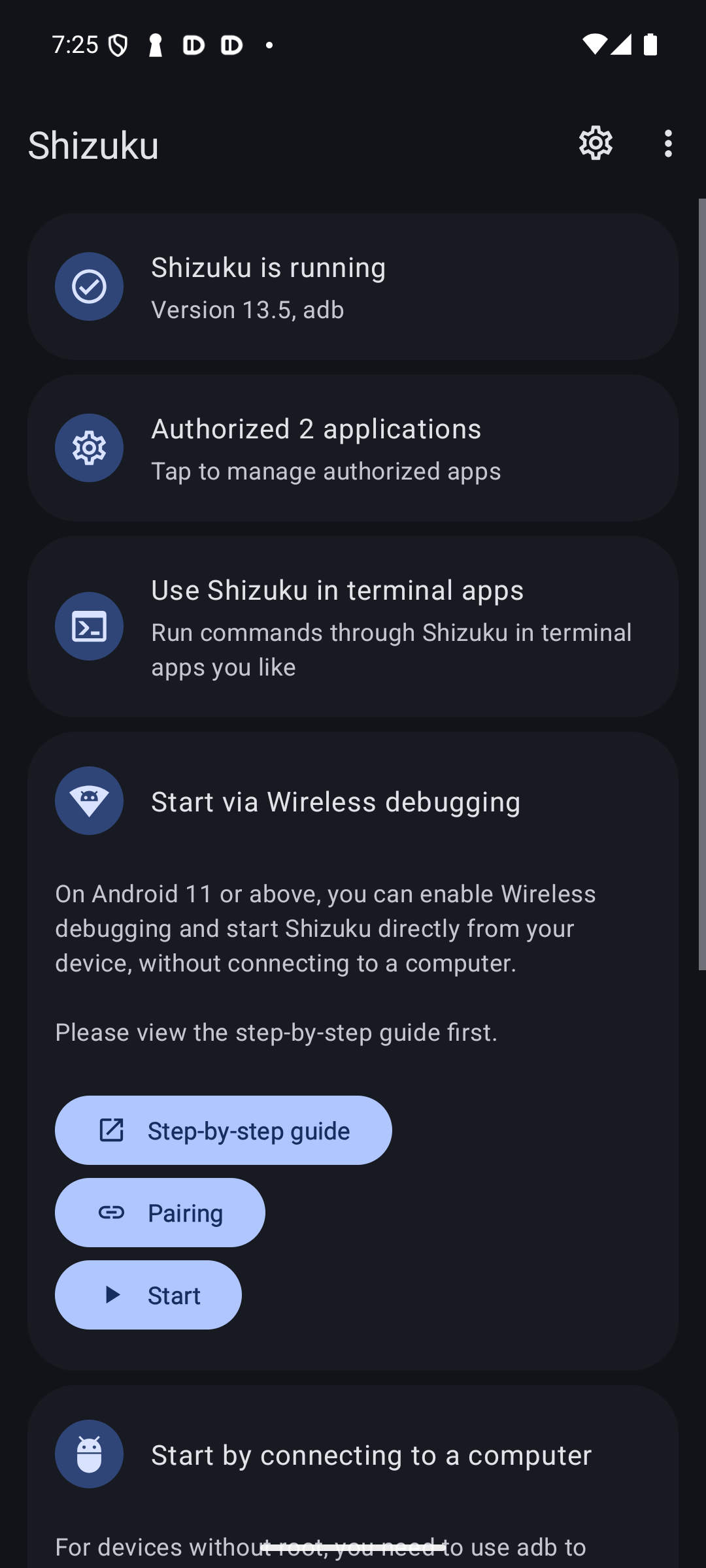
DriveDeck requires Android 13 or newer and a running, authorized Shizuku service. Its setup uses a fixed set of operations to grant feature permissions, prepare the connection and start helpers for audio and parked apps. The service is not a blanket root grant, and DriveDeck does not expose an unrestricted command prompt to other apps.
Choose a starting point
- First time? Follow Shevery setup without root, then return to connecting DriveDeck.
- Find more apps: ShizuStore helps discover applications that use Shizuku.
- Follow upstream releases: Obtainium can check supported project sources for updates.
- Review preinstalled apps: Canta can remove an app for a user and restore supported system packages.
- Understand the plumbing: read ADB and permissions, car audio, and car microphone return.
Each app must request its own Shizuku authorization. Review the app and the actions it asks to perform before granting it access; revoke access from Shizuku's app list when you no longer want it to use the service. After a reboot, a wireless-debugging-started service normally needs to be started again.
Understand the three separate steps
| Step | What it does | If it is missing |
|---|---|---|
| Pair wireless debugging | Establishes trust between Android's debugging service and the pairing client. | Follow the pairing flow in the setup guide. Pairing alone does not start Shizuku. |
| Start Shizuku | Starts the service that carries out supported requests. | Open Shizuku and start it again, particularly after a reboot. |
| Authorize an app | Lets that individual app request operations through the running service. | Open the app, respond to its request, or review its entry in Shizuku's app list. |
These steps solve different problems. For example, an authorized DriveDeck cannot use a stopped service, and a running service does not automatically authorize Canta or ShizuStore. Use the ADB guide to inspect a selected device and learn which setup operations DriveDeck performs; most drivers can use DriveDeck's guided setup instead of typing commands.
The community-maintained Awesome Shizuku list is another way to explore the ecosystem. Inclusion does not imply that an app has been audited or that it will work on every device.
Android TV and wireless ADB
Bridgecoil is a visual Android TV management tool that connects through wireless ADB. It can help review installed apps, set a launcher and configure remote-button mappings. Basic connection and app management do not require Shizuku. For persistent button mappings, its guided TV setup can use Shizuku Next or another helper together with Termux and Termux:Boot. A Linux shell and helper give it a way to perform those TV-side operations; DriveDeck's audio service similarly uses a privileged helper for a different task.
One TCL setup replaced the stock home experience with a custom launcher that starts after boot and added custom button mappings. Treat that as an example, not a promise for every TV: firmware, startup restrictions and which buttons are exposed to the listener vary. Check that the new launcher, remote and recovery path work before disabling the original launcher. Find Bridgecoil on GitHub.