Your apps on the car screen
DriveDeck hosts compatible apps that provide a car interface. Some apps work as supplied; others need a patch to accept an alternative car host. Availability and features depend on the app version and the patches you select.
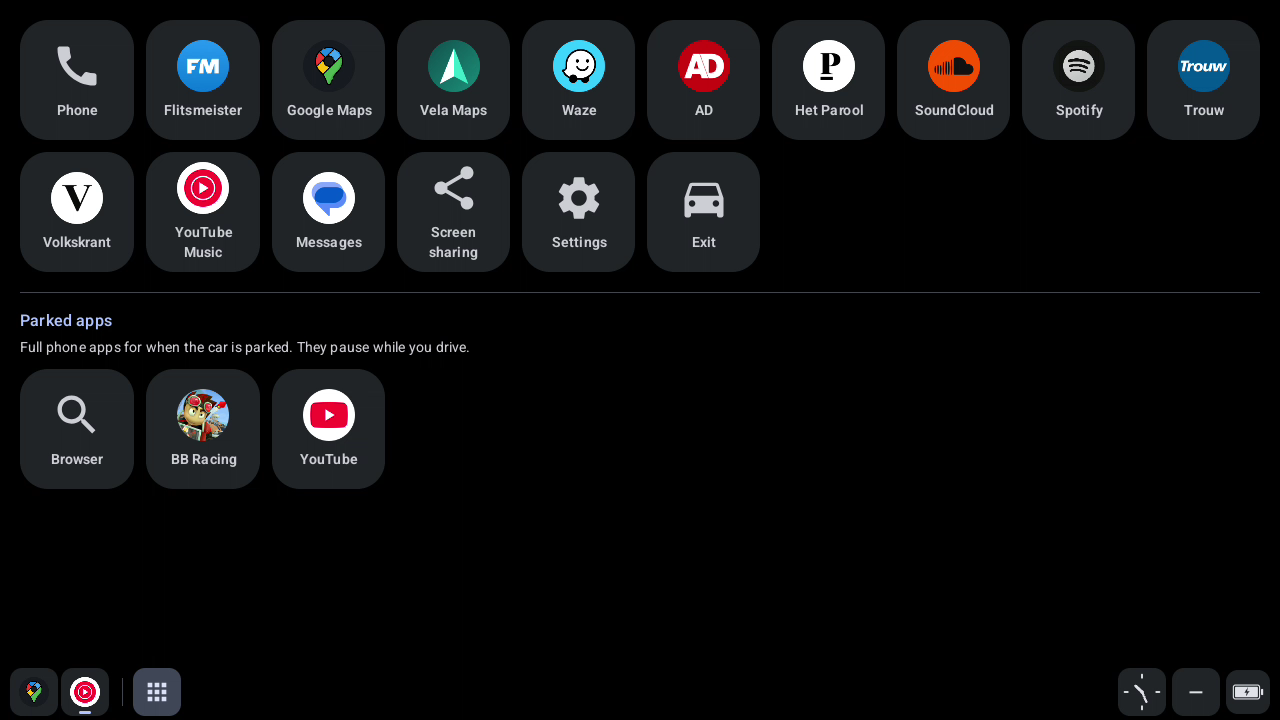
The 1280×720 head-unit display using the emulator and a debug build.
Apps with a car interface
Apps such as Vela Maps, Organic Maps, OsmAnd and Metrolist can provide navigation or media interfaces to DriveDeck. Look for the app in the launcher after installing it on the phone. The app's own account, region and subscription requirements still apply.
For car-app place lists that ask DriveDeck to draw a map, DriveDeck loads map tiles from OpenStreetMap. Tile requests disclose the viewed map area and your network address to that service. The map shows attribution and caches tiles on the phone; apps that draw their own maps continue to use their own map providers.
Patched apps
The Morphe patch set includes host-compatibility patches for a range of apps, including Maps, Waze, Flitsmeister and media services. The supported apps matrix describes the intended features and patches; check the patch source for currently supported versions.
- Install Morphe Manager and add the patch source using the link above.
- Select a supported app version and the patches you need, then patch and sign it on the phone.
- Install the result and check the DriveDeck launcher. A patched app has a different signature from its store version. Keep the same Morphe signing key for subsequent patched updates, and back up app data before replacing an existing installation.
Installation requirements differ between hosts and app types. Consult the installation notes if you also use stock Android Auto.
Stock Google Maps
If a navigation app refuses DriveDeck's native connection, DriveDeck can show its phone screen in the Maps tab when Shizuku is available. This is how you use stock, unpatched Google Maps. See Navigation and maps.
More to explore
Navigation and maps · Dashboard and widgets · Parked apps · Traffic alerts · Voice assistant