Parked apps
DriveDeck can host supported phone apps on the car screen. Apps that declare a car launcher can appear in the DriveDeck launcher, including supported patched apps and games. Listing an app does not guarantee it will work with every phone or head unit.
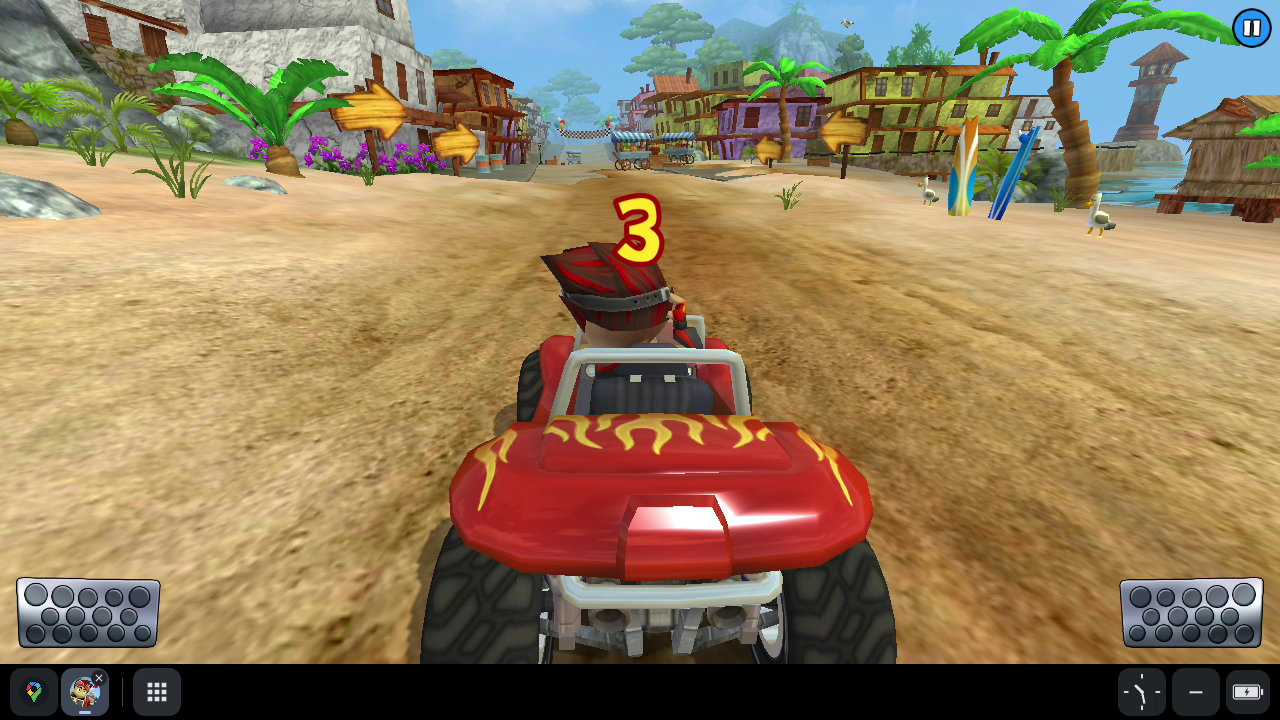 A parked game launched from DriveDeck's car launcher on the 1280×720 head unit.
Parked apps run on a car display that DriveDeck creates and owns, with the app's own real interface — not a picture of the phone. Each app has its own driving rule, and passenger use is available by default: see Driving rules and passenger use. Eligible apps from a work profile open here too.
- Patched apps join by themselves: YouTube with its automotive layout, Beach Buggy Racing and Candy Crush Soda Saga as games, WuPlay for series and movies — see Your apps, native for the patch each one needs.
- The browser works while parked, with DriveDeck's own keyboard — or the car keyboard you chose, with its microphone key typing what you say, heard by the car.
- The phone screen itself can be shared to the car display through Android's own screen sharing, with DriveDeck verifying the share's identity before it accepts it.
- The app currently on screen has an × on its taskbar tile. Tap that tile to close it. When Maps is on screen, the parked app's tile has no ×; tap it to return to the app. These controls stay in DriveDeck's taskbar so the app's own buttons remain reachable.
Guest apps are suspended when the car is disconnected. Protected surfaces may require opening the app on the phone; audio-capture refusals are honored. Hosted apps do not receive vehicle speed, gear or motion data.
Driving rules and browser choices
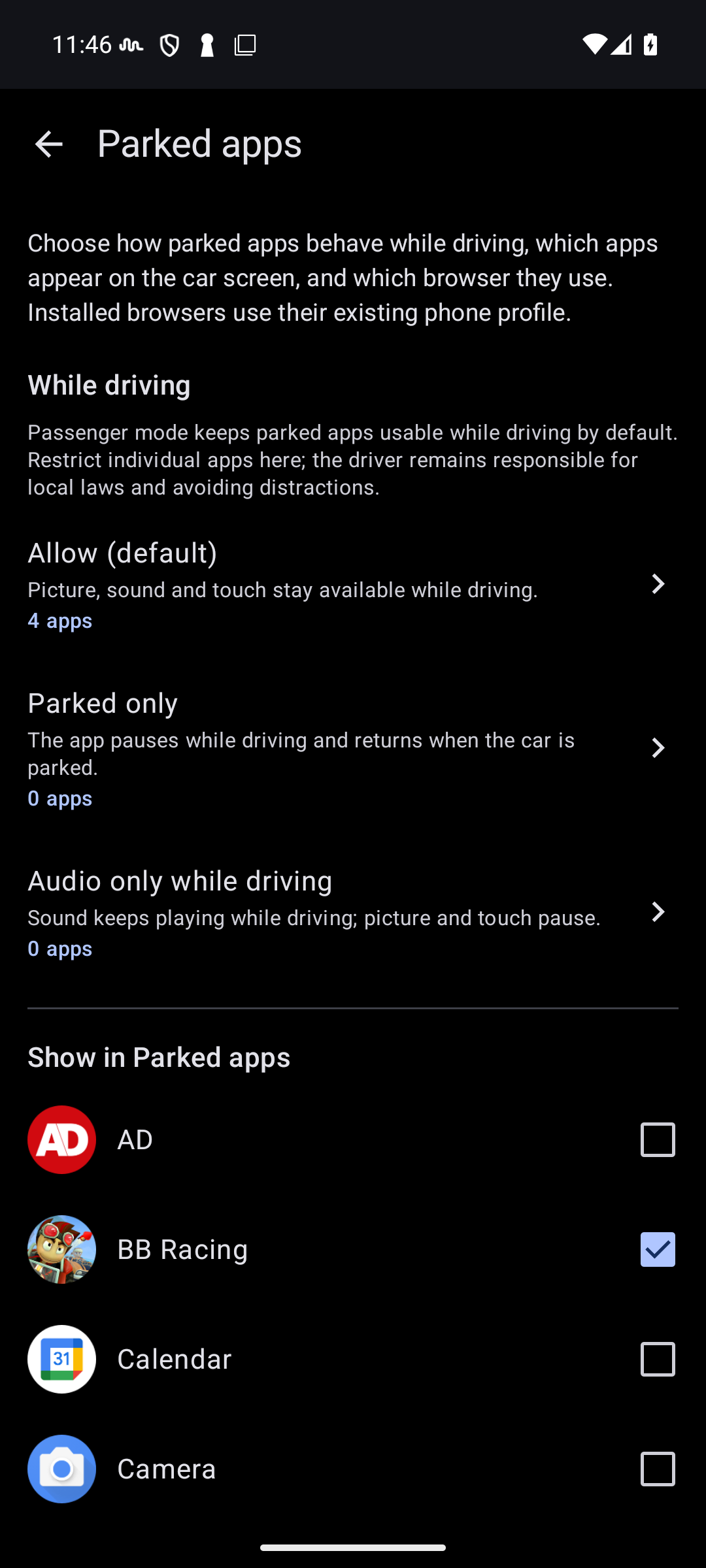
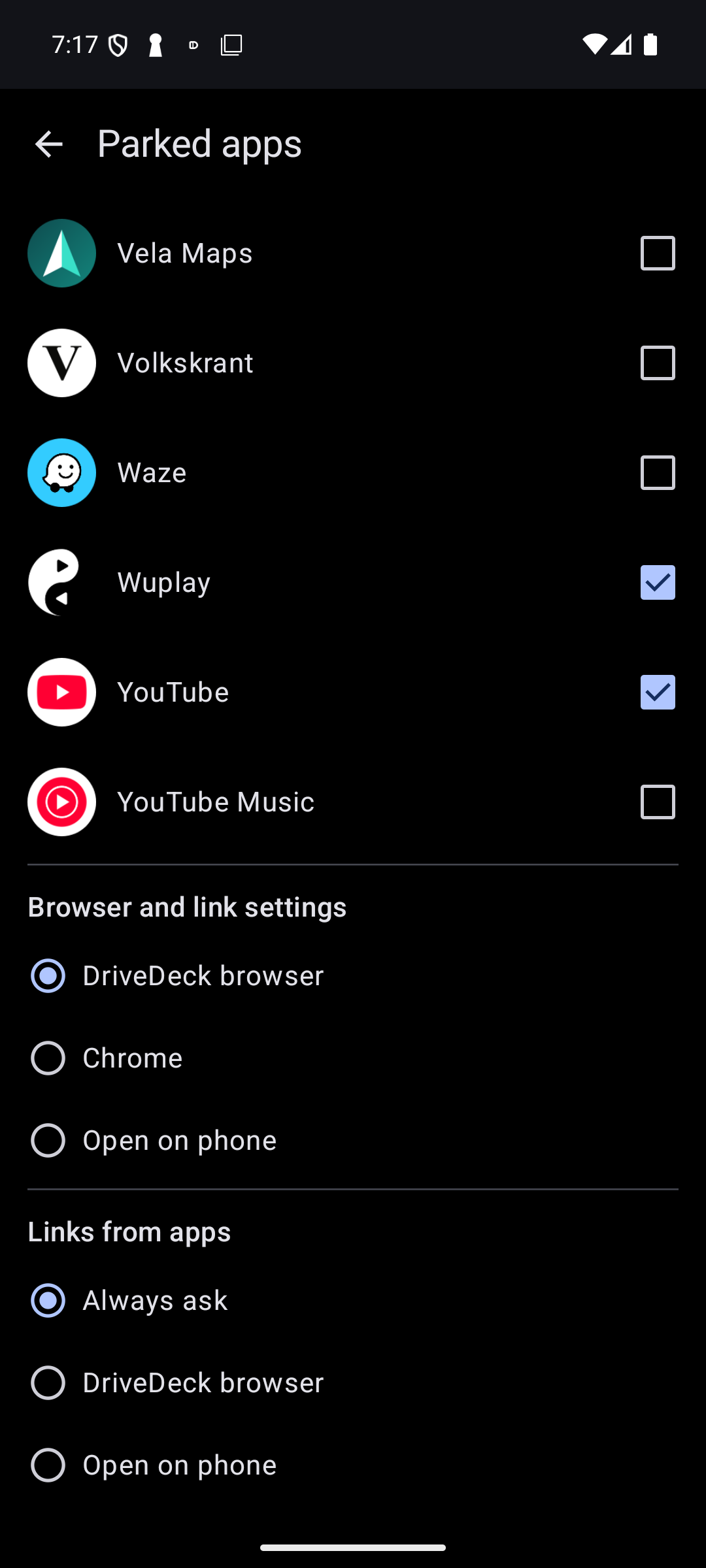
Per-app moving rules are set on the phone under Car → Parked apps → While driving: Allow (default), Parked only, or Audio only while driving. An app belongs to one category at a time. Existing custom rules and passenger overrides, if present, stay under Custom rules until you choose a category for that app. The browser's detailed screen-use editor is not reachable from the toolbar in the current published build.
Developers: what a hosted app may query is specified in the guest contract.
Game input depends on the head unit’s touch hardware. Protected video and app audio may also be restricted by the app or Android.